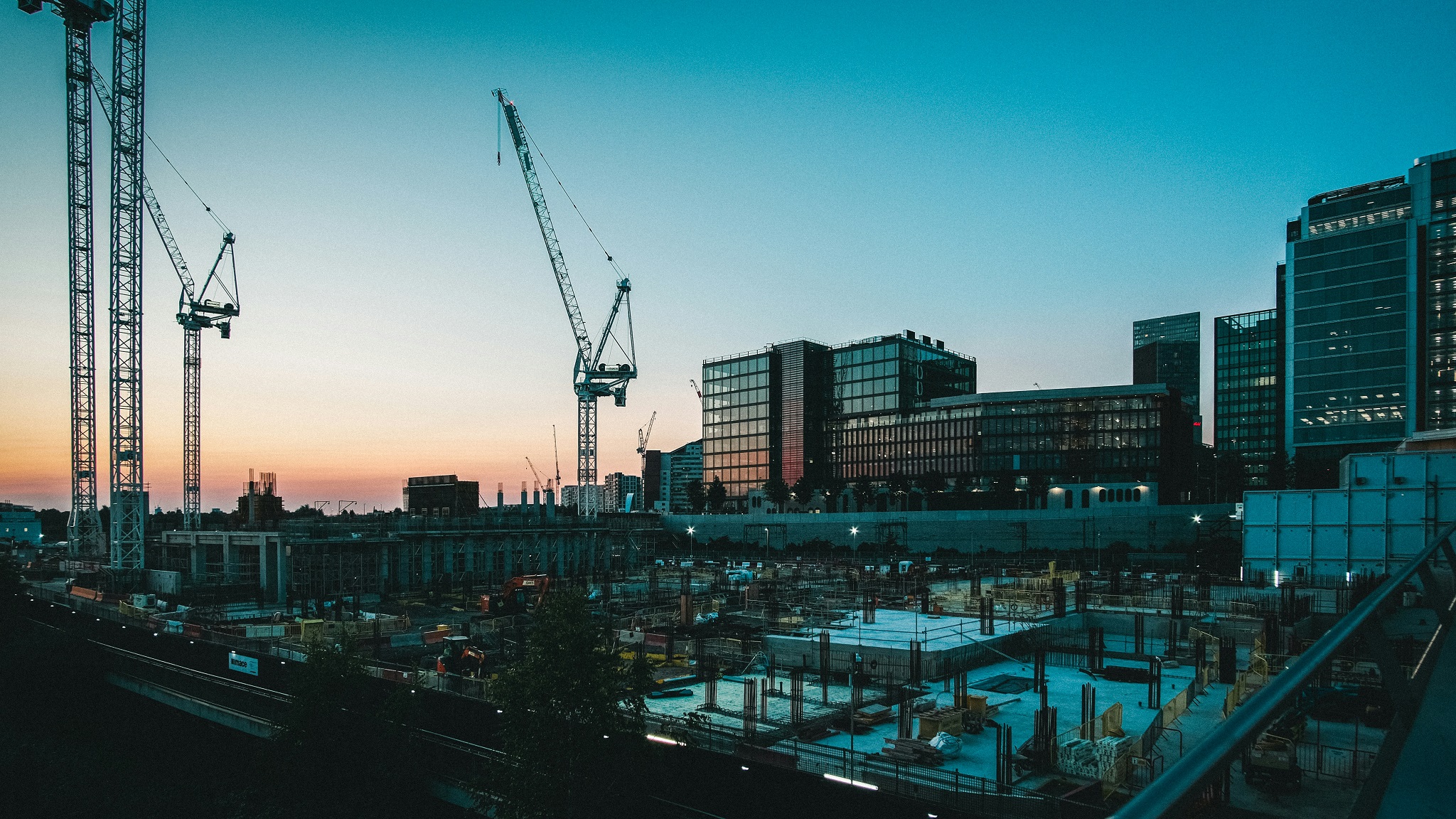
Shooting a long-term time‑lapse sounds simple.
Pick a scene, come back regularly, take the same shot over weeks or months, and stitch everything together. In theory, it’s just consistency and patience. In reality, this is where most projects quietly fail.
Not because of exposure.
Not because of weather.
Not because of gear.
But because, months later, when it’s time to assemble the sequence…
The images simply don’t align.
The problem you only discover at the very end
If you’ve ever attempted a long-term time‑lapse, you already know this:
It is almost impossible to reproduce the exact same framing over long periods of time.
Even if you’re careful:
- Your tripod position shifts slightly
- The height isn’t exactly the same
- The angle changes by a few degrees
- You adjust instinctively without realizing
Each individual shot looks fine on its own.
But when you put them together, the sequence shakes. Drifts. “Breathes.”
What should feel stable and cinematic becomes distracting and amateur.
And here’s the part people don’t anticipate:
You often only realize the problem after months of shooting.
At that point, it’s too late.
“I’ll fix it in post” — well, not always possible...
Yes, modern tools can align images automatically. And they do a great job — when given the right conditions.
But alignment is not magic. It doesn’t invent stability out of nothing. It relies on one critical requirement:
There must be a consistent visual reference in the frame.
If there isn’t, alignment becomes unreliable—or outright impossible.
Thanks to the white house on the left and the main wall of the chalet, this four seasons could be aligned. Foliage was not an option, obviously.
The classic mistake
Most photographers naturally frame tightly around their subject:
- A building under construction
- A tree across seasons
- A changing landscape
- A worksite evolving over time
This feels logical. The subject is what matters. But there’s a catch:
In long-term time‑lapse, your subject is often the least stable element in the frame.
- A building changes every week
- A construction site transforms completely
- Foliage appears, disappears, changes shape and color
- Even lighting alters perceived edges
So, when you try to align the images, the software has nothing reliable to lock onto.
Everything is moving. Everything is evolving.
And your sequence collapses under its own inconsistency.
The mistake is made on day one
This is why it’s so deceptive.
Your framing looks perfect at the beginning. Clean. Focused. Intentional.
But by excluding anything outside your subject, you’ve removed the only thing that could save your sequence later. And you won’t notice… until the end.
The fix is simple—and often ignored
There is one simple practice that dramatically improves long-term time‑lapse reliability:
Frame wider than you think you need.
And more importantly:
Include at least one element that will not change over time.
What counts as a reliable reference
You’re looking for elements that are effectively immutable:
- A distant mountain range
- A stable building already completed
- A skyline
- A fixed structure (bridge, tower, wall, etc.)
- A horizon line or terrain feature
These elements act as an anchor for alignment.
They give your software something consistent to track across time.
What not to rely on
Some things feel stable but aren’t:
- Trees
- Vegetation
- Grass
- Seasonal elements
- Temporary structures
- Anything under construction (obviously)
These change too much to be used as alignment references. They will betray you.

If I want to create a time lapse of the construction on the right part of this image, I must include the building in the centre. The reference will be these buildings. I will crop later the aligned images.
Seasonal projects are especially risk
If you’re shooting across seasons, the problem is even worse.
A tree is a perfect example:
- Full foliage in summer
- Bare branches in winter
- Different silhouette every few months
- Snow can completely reshape the scene
What looked like a stable feature becomes unrecognizable. At that point, alignment tools will struggle or produce poor results.
Why this matters more than you think
Without a stable reference:
- Alignment becomes inconsistent
- Micro‑jitters remain visible
- Warping artifacts may appear
- The final sequence loses credibility
With a stable reference:
- Alignment becomes precise
- Motion stabilizes naturally
- The sequence feels clean and intentional
The difference is not subtle. It’s the difference between something usable and something frustrating.
One rule to remember
If you only keep one idea from this:
If everything in your frame can change, your alignment will fail. So:
- Step back
- Widen your framing
- Intentionally include a permanent anchor
Yes, it might slightly compromise your initial composition, you can always crop the images when they will be aligned, and it will save your project.
Disclaimer
I’m the founder of Futura Time Lapse, a tool built to handle long-term time‑lapse alignment—this insight comes directly from that experience.